Guide: Find which SHL tests you have
This guide will help you find which test(s) you have so that you can practice for the correct tests.
Step 1. Find your SHL test name.
Check your invitation e-mail:
Once you’ve been invited you take an SHL assessment test, you will receive an e-mail.
It will look similar to the screenshot below.
The e-mail will mention the name(s) of the test(s) you will be taking.
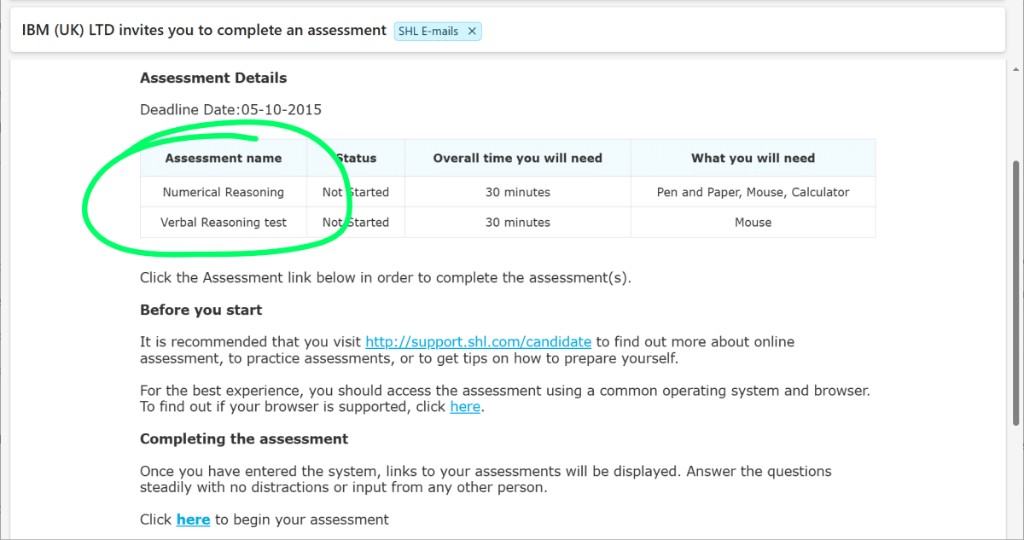
Sometimes, the test name won’t be mentioned in the e-mail.
In these cases, follow the link in the e-mail to begin the assessment button (don’t worry this won’t start the test!)
You will find a summary screen that shows which test(s) you will be taking.
Step 2. Find your test type – interactive vs MCQ
Some tests have two versions: Interactive or Multiple Choice (MCQ).
Multiple-choice-question tests require you to answer questions by selecting answers from a list of multiple choices.
Interactive tests require you to answer the question using interactive elements.
To figure our which test type you have, follow the link in your invitation e-mail.
Each of your tests will have an instruction page that looks similar to the example below.
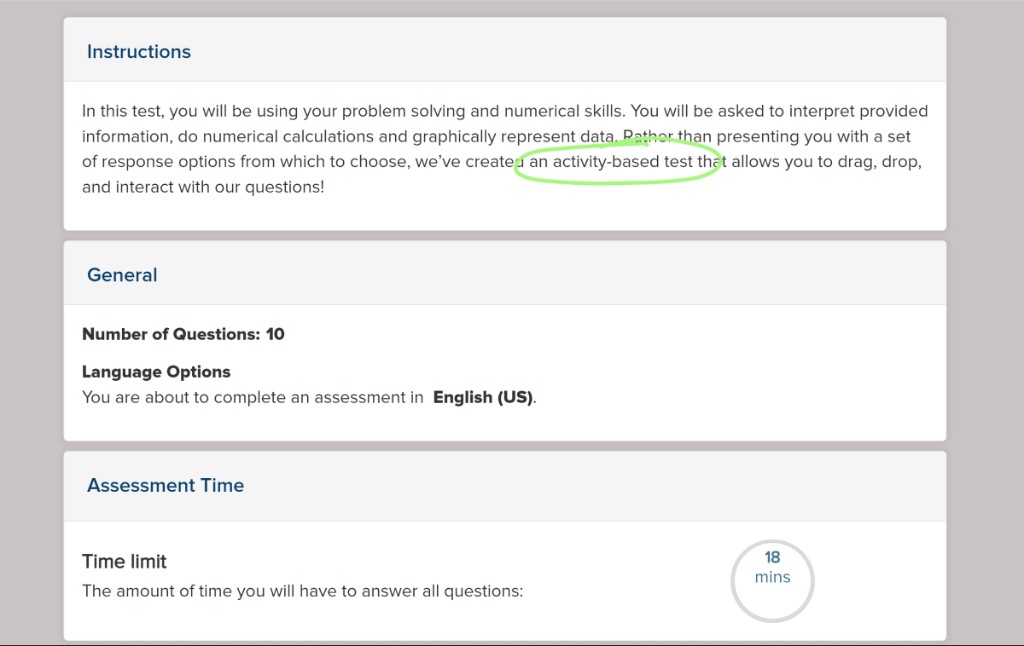
Check the instructions, if the words ‘activity-based test’ are mentioned then that test will be interactive.
If it is not mentioned, then that test will be multiple-choice (MCQ) based.
Step 3. Select the correct Practice Pack
Now that you know which tests you will have, select the correct Practice Pack to begin preparing.
If you have both Interactive and MCQ-based tests, you will need the Combined SHL Practice Pack
If you are still not sure please contact us via WhatsApp or e-mail: help@aceaptitudes.com.